How to use Mustping
When a Simple Ping Isn't Enough
Your phone buzzes softly. A Slack notification. You're in the kitchen grabbing coffee. By the time you return to your desk, the moment has passed. Your manager needed deployment approval ten minutes ago. The client wanted a response five minutes ago. The production incident needed your attention right now.
A single, gentle notification ping failed you.
Here's the uncomfortable truth: most notifications on your phone are designed to be ignored. They're quiet, brief, and easily lost in the ambient noise of daily life. For a social media like or a promotional email, that's fine. For a message that could cost you a client, a deployment, or a production environment—it's catastrophic.
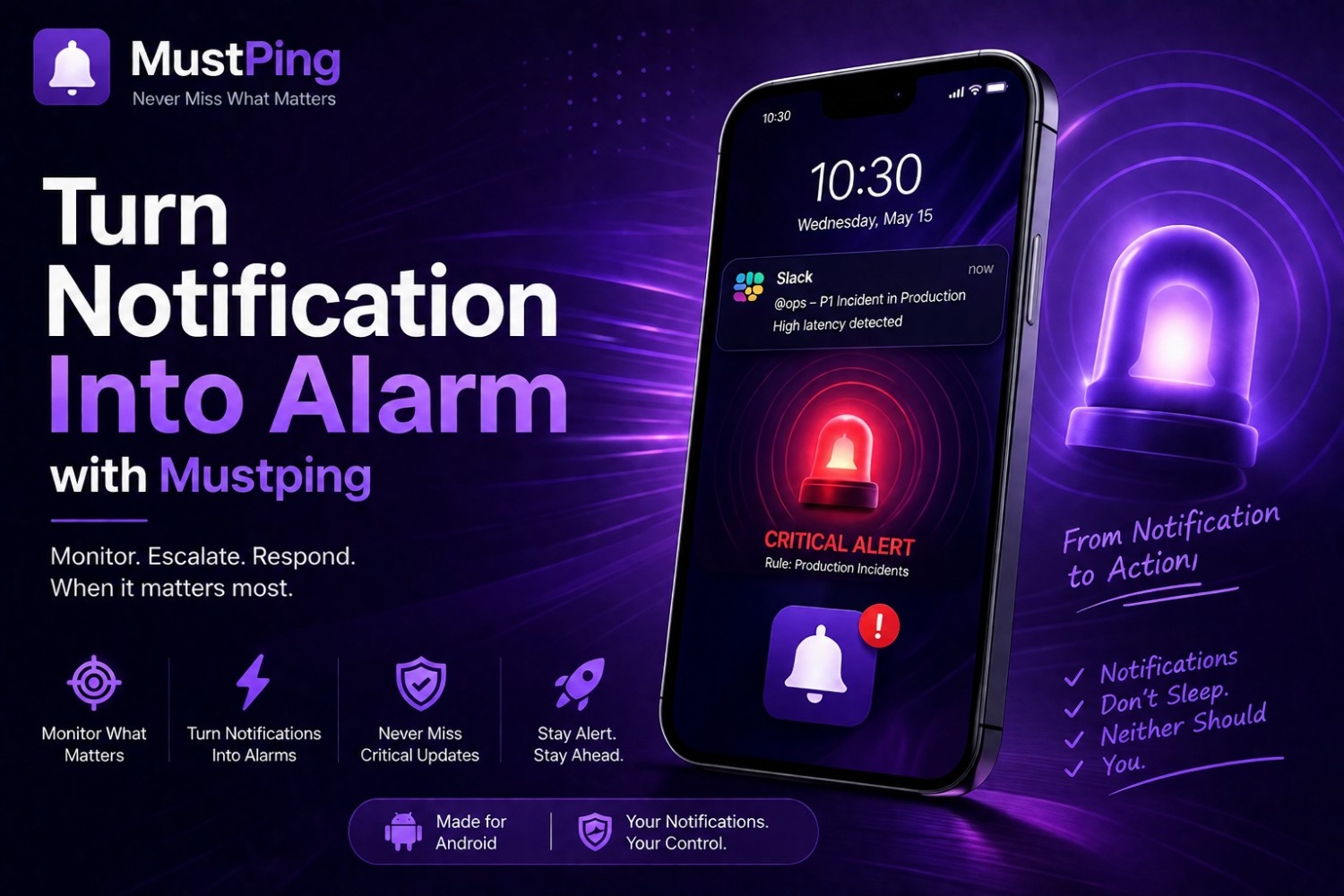
What if, instead of a gentle ping, that critical Slack DM triggered something closer to a fire alarm? Something that demanded your attention the way your morning alarm clock does? Something that wouldn't stop until you physically acknowledged it?
That's exactly what MustPing does. It doesn't just manage notifications—it transforms the important ones into alarms. This guide shows you exactly how, why, and for which messages it matters most.
Introduction: When a Simple Ping Isn't Enough
Your phone buzzes softly. A Slack notification. You're in the kitchen grabbing coffee. By the time you return to your desk, the moment has passed. Your manager needed deployment approval ten minutes ago. The client wanted a response five minutes ago. The production incident needed your attention right now.
A single, gentle notification ping failed you.
Here's the uncomfortable truth: most notifications on your phone are designed to be ignored. They're quiet, brief, and easily lost in the ambient noise of daily life. For a social media like or a promotional email, that's fine. For a message that could cost you a client, a deployment, or a production environment—it's catastrophic.
What if, instead of a gentle ping, that critical Slack DM triggered something closer to a fire alarm? Something that demanded your attention the way your morning alarm clock does? Something that wouldn't stop until you physically acknowledged it?
That's exactly what MustPing does. It doesn't just manage notifications—it transforms the important ones into alarms. This guide shows you exactly how, why, and for which messages it matters most.
Why Standard Notifications Fail Working Professionals
The One-Ping Problem
Standard Android notifications follow a predictable pattern: they appear once, make a brief sound, and then sit silently in your notification shade until you happen to check your phone. If you miss that single moment—because you're in the shower, on a call, driving, in a meeting, or simply focused on deep work—the notification effectively disappears from your awareness. It hasn't gone anywhere, but your brain has already moved on.
For a critical work message, this single-attempt delivery model is fundamentally broken. Important messages don't just need to arrive—they need to be seen and acted upon.
The Uniformity Trap
Your phone treats virtually every notification identically. A calendar reminder sounds like a Slack message. A promotional email vibrates like a Teams DM. A food delivery update pings like a production alert. When everything sounds and feels the same, your brain learns to treat everything as equally unimportant. This is notification blindness—a well-documented psychological adaptation to constant, undifferentiated alerts.
The Silent Mode Paradox
Most professionals keep their phones on silent or vibrate during work hours—meetings, focused work, client calls. This is professionally necessary but creates a dangerous gap: genuinely urgent messages arrive with the same muted treatment as routine ones. You've trained yourself to check your phone every 15 minutes "just in case," fragmenting your attention and destroying deep work capacity.
The DND Blind Spot
Scheduled Do Not Disturb is essential for sleep and personal time. But Android's DND is indiscriminate. A critical 2 AM production outage alert gets the same absolute silence as a random channel mention. You wake up to disaster that's been unfolding for hours—because your phone was dutifully protecting your sleep from everything.
Notification vs. Alarm: Understanding the Critical Difference
What Makes Something an "Alarm" Rather Than a "Notification"?
The distinction isn't just semantic—it's functional. Understanding this difference is the key to configuring MustPing effectively.
| Characteristic | Standard Notification | MustPing Alarm-Style Alert |
|---|---|---|
| Sound | Brief, quiet, generic ping | Loud, prolonged, custom alarm sound |
| Persistence | Plays once, then silent | Repeats until acknowledged |
| DND Behavior | Silenced completely | Can bypass DND for critical rules |
| Vibration | Single short pulse | Strong, sustained, custom pattern |
| Visual | Notification shade entry | Camera flash + screen wake-up |
| User Response Required | None — it just sits there | Explicit acknowledgment to stop |
| Mental Model | "I'll check this later" | "I need to address this now" |
The difference is psychological as much as technical. When your phone plays a distinct, loud alarm—the kind you use to wake up in the morning—your brain registers it completely differently than a notification ping. One says "whenever you get around to it." The other says "right now."
What Notifications Deserve to Become Alarms?
The Decision Framework
Not every message should wake you up at 3 AM. Converting notifications to alarms requires judgment. Ask yourself these questions for each potential rule:
- What is the consequence of missing this for 5 minutes? If it's minor, it doesn't need alarm treatment.
- What is the consequence of missing this for 4 hours? If it's severe, this deserves alarm treatment.
- Can someone else handle this if I don't respond? If no, escalate the alert priority.
- Is this time-sensitive in a way that degrades with delay? Production incidents, client responses, and time-critical approvals degrade rapidly.
Messages That Deserve Alarm Treatment
- Manager's direct messages about deployments, approvals, or urgent decisions
- Client communications requiring immediate response—contract approvals, issue escalations, time-sensitive requests
- Production alerts from monitoring channels—database failures, API outages, security incidents
- On-call escalation messages — "Primary on-call unresponsive, escalating to you"
- Critical system notifications — SSL certificate expiry, domain renewal alerts, infrastructure health checks
- Time-sensitive financial communications — payment failures, transaction anomalies, fraud alerts
Messages That Should Stay as Notifications
- Routine team discussions and general channel chatter
- Informational updates ("Deployment completed successfully")
- Social messages and non-work communications
- Promotional emails and newsletters
- Routine bot notifications and automated reports
Setting Up Alarm-Style Alerts in MustPing: Step by Step
Step 1: Identify Your Alarm-Worthy Conversations
Open your communication apps and identify the 3-7 conversations that carry genuine urgency. For most professionals, this list is short: your manager's DM, your team's incident channel, maybe a key client conversation. If everything is an alarm, nothing is. Be ruthlessly selective.
Step 2: Create a New Rule
Open MustPing, navigate to the Rules section, and tap to create a new rule. Select the source app—Slack, Microsoft Teams, Google Chat, Gmail, Outlook, or any other app where alarm-worthy notifications arrive.
Step 3: Target the Specific Conversation
This is what separates MustPing from generic notification amplifiers. Instead of turning all Slack notifications into alarms, you target only the conversations that matter:
- Specific DM: Select "Direct Message" and choose your manager or key contact
- Specific Channel: Select "#production-alerts" or "#incident-response"
- Specific Group: Select your project team's critical communication group
Step 4: Add Keyword Filters for Precision
Make your alarm even smarter with keyword filtering:
Include Keywords — only trigger the alarm for messages containing:
urgentcriticalproductiondeploymentapprovalincidentoutage
Exclude Keywords — suppress the alarm for messages containing:
resolvedFYIupdatenewsletter
Step 5: Configure the Alarm Schedule
Decide when this alarm should be active. For truly critical messages, many professionals choose 24/7 monitoring with DND bypass. For important-but-not-emergency messages, set working hours only:
- Manager DMs: Monday-Friday, 8 AM–7 PM
- Production alerts: All days, 24 hours, DND bypass enabled
- Client messages: Monday-Friday, 9 AM–6 PM
Customizing Your Alarm Experience: Sound, Vibration, and Flash
Choosing the Right Alarm Sound
Your alarm sound is the most important configuration decision. It must be:
- Distinct: Immediately recognizable as "important" — not confused with other phone sounds
- Loud enough: Audible from another room, through ambient noise, even when you're asleep
- Not annoying enough to disable: If the sound is so unpleasant you'll turn it off, it's counterproductive
- Consistent per severity level: Use the same sound for all Tier 1 alerts so your brain builds an automatic association
MustPing lets you assign different custom alarm sounds to different rules. A production outage sounds different from a manager DM—and within a week, you'll know the severity before you even pick up your phone.
Configuring Vibration Patterns
Vibration is your silent ally—critical when your phone is in your pocket, on a desk during meetings, or when audio alerts are inappropriate. MustPing offers strong, customizable vibration patterns that are physically distinct from standard notification vibrations. You can feel the difference between a routine message and an alarm-worthy alert without looking.
Enabling Camera Flash Alerts
The camera flash alert is one of MustPing's most powerful features—and one that standard notifications completely lack. When enabled, your phone's camera flash blinks in a distinct pattern when an alarm-worthy notification arrives. This is invaluable when:
- Your phone is face-down on a desk during a meeting
- Your phone is charging across the room
- You're in a loud environment where audio alerts are ineffective
- You have hearing difficulties and rely on visual cues
The flash is visible from across a room and in peripheral vision—making it significantly harder to miss than an audio-only alert.
Real-World Scenarios: When Notifications Become Alarms
Scenario 1: The Deployment Approval
Situation: It's 4:45 PM on Friday. You're wrapping up for the weekend, already mentally checked out. Your manager sends a Slack DM: "Need deployment approval for the hotfix—can you review now?"
Standard notification: A single soft ping. You're already walking to your car. You don't check Slack until Monday morning. The hotfix sat unapproved all weekend. Customers experienced the bug for three extra days.
MustPing alarm: Your phone blares your custom "Manager DM" alarm sound. Strong vibration. Camera flash blinking. You cannot ignore it. You check the message, approve the deployment in two minutes, and the hotfix goes out Friday evening. Customers are unaffected all weekend.
Scenario 2: The Production Outage at 3 AM
Situation: The primary database fails at 3:12 AM. Monitoring posts in #production-alerts: "CRITICAL: Database connection pool exhausted. API returning 502 errors." You're the on-call developer. Your phone is on scheduled DND (11 PM–7 AM).
Standard notification: DND silences everything. You sleep peacefully. Wake up at 7 AM to 47 missed Slack messages, 12 PagerDuty alerts, and an outage that's been running for nearly 4 hours. Revenue impact: significant. Trust impact: severe.
MustPing alarm: MustPing's DND bypass punches through. Your custom "Production Critical" alarm—a sound you've deliberately chosen to wake you up—blares at full volume. Camera flash strobes in the dark room. Persistent reminders fire every 2 minutes. You wake up, acknowledge the alert at 3:14 AM, and begin incident response. Total downtime: under 5 minutes.
Scenario 3: The Client Escalation During a Meeting
Situation: You're presenting in a client meeting. Your phone is face-down on the conference table, on silent. A different client—your biggest account—sends an urgent Teams message: "Contract issue—need your input immediately or we're walking."
Standard notification: Phone vibrates once, silently. You don't notice. The meeting runs another 45 minutes. By the time you see the message, the client has already escalated to your boss. Relationship damaged.
MustPing alarm: Even on silent, MustPing's camera flash alert is visible. The distinct blinking pattern catches your eye from across the table. You recognize it as your "Key Client" alert. You excuse yourself for two minutes, respond to the client, and return to the meeting. Crisis averted without anyone in the room realizing anything happened.
DND Bypass: The Feature That Makes Alarms Actually Work
Why DND Bypass Is Essential
An alarm that respects Do Not Disturb isn't really an alarm—it's just a louder notification that still fails when you need it most. DND is Android's most aggressive notification suppressor, and for good reason: it protects your sleep, your focus, and your personal time. But it protects those things indiscriminately.
MustPing's DND Bypass feature (available on supported Android devices) solves this by allowing specific, high-priority rules to override DND. Your production alert breaks through. Your manager's urgent DM breaks through. The random channel mention from #social? Silenced, as it should be.
When to Enable DND Bypass
- Production alerts and incident notifications: Always. These are the definition of "worth waking up for."
- Manager DMs outside work hours: If your manager messages you at 10 PM, it's probably important. Enable DND bypass with appropriate keyword filters.
- Key client communications: If losing a major client is worse than losing sleep, enable DND bypass.
- Security alerts: Breaches don't respect business hours. Enable DND bypass.
When NOT to Enable DND Bypass
- Routine team communications
- General channel updates
- Non-critical email notifications
- Anything you'd be annoyed to be woken up for
The power of DND bypass is also its risk: use it only for messages that genuinely justify interrupting your sleep or focus.
Persistent Alarms That Don't Quit Until You Respond
The Problem with One-and-Done Alerts
Even a loud alarm can be missed. You might be in the shower. You might be in a part of the house where your phone isn't. You might sleep through the first few seconds of an alarm before it stops. Standard notifications fire once and then go silent—if you weren't there for that single moment, the message might as well have never arrived.
How MustPing's Persistent Reminders Work
MustPing's alarm-style alerts can be configured with persistent reminders that continue until you physically acknowledge the notification. Here's how it works:
- Alarm-worthy notification arrives
- MustPing triggers your configured alert: custom sound + vibration + camera flash
- If you don't acknowledge, MustPing waits for your configured cooldown period (e.g., 2 minutes)
- After the cooldown, the alarm fires again. And again. And again.
- This cycle continues until you explicitly acknowledge the notification
Configuring Persistence by Urgency Level
- Tier 1 (Critical): Persist until acknowledged, cooldown 2 minutes — you cannot sleep through this
- Tier 2 (Urgent): Persist for 30 minutes, cooldown 5 minutes — persistent but eventually stops
- Tier 3 (Important): Alert once only — no persistence needed
Multi-Sensory Alerting: Why One Channel Isn't Enough
The Case for Redundancy in Alert Delivery
Any single sensory channel can fail. You might not hear an audio alert because you're in a loud environment, wearing noise-canceling headphones, or have hearing difficulties. You might not feel a vibration because your phone is on a soft surface or in a bag. You might not see a visual alert because your phone is face-up but you're not looking at it.
Multi-sensory alerting solves this through redundancy. When MustPing triggers an alarm-worthy notification, it can simultaneously:
- Play a loud custom alarm sound (auditory)
- Fire a strong vibration pattern (tactile)
- Blink the camera flash (visual)
- Wake the screen (visual)
The probability of missing all four channels simultaneously is dramatically lower than missing any single one. This is the same redundancy principle applied in aviation, nuclear power, and other safety-critical systems—applied to your notification infrastructure.
Real Redundancy in Practice
- Sleeping: Audio alarm wakes you up. If you're a heavy sleeper, persistent reminders + vibration + camera flash in a dark room create an overwhelming sensory combination.
- In a meeting: Audio is off. But camera flash is visible on the table. Strong vibration is felt in your pocket.
- In a loud environment: Audio might be drowned out. But vibration and camera flash still work.
- Phone in another room: Loud custom alarm is designed to carry. If you don't hear it, persistent reminders increase the probability over time.
Best Practices for Turning Notifications Into Alarms
1. Be Ruthlessly Selective
The fastest way to make alarms useless is to make everything an alarm. If your phone blares for routine messages, you'll develop alarm fatigue—and disable or ignore the feature entirely. Most professionals need 3-7 alarm-worthy rules total. If you have more than 10, you're probably over-alerting.
2. Use Distinct Sounds Per Category
Your brain is remarkably good at learning audio associations. Use one alarm sound for production incidents, a different one for manager DMs, and a third for client escalations. Within days, you'll know exactly what kind of message is waiting before you even reach for your phone. This lets you prioritize your response without checking the screen.
3. Test Your Alarms Regularly
Once a month, trigger a test alert for each alarm-worthy rule. Verify that:
- The custom alarm sound plays correctly
- The vibration pattern is strong enough to notice
- The camera flash fires as expected
- DND bypass works (test with DND enabled)
- Persistent reminders fire on schedule
Android updates, app updates, and configuration changes can silently break alert settings. Monthly testing catches these before a real incident does.
4. Respect Your Own Boundaries
Alarms that bypass DND are powerful—and potentially intrusive. Use scheduling to protect your personal time for all but the most critical alerts. A production outage at 3 AM should wake you up. A routine manager message at 10 PM on Saturday probably shouldn't. Configure your rules accordingly.
5. Document Your Alarm Configuration
Your MustPing alarm rules are part of your professional infrastructure. Document what each alarm sound means, which conversations trigger alarms, and what the expected response time is. If you're on a team, make sure your teammates know your escalation paths.
6. Use Cloud Backup
You've spent time carefully configuring your alarm rules. Enable MustPing's Cloud Backup so they survive phone upgrades, factory resets, and app reinstalls. Rebuilding alarm configurations from memory is tedious and error-prone.
Conclusion: Your Phone Already Has an Alarm Clock. Now Your Notifications Can Too.
Your morning alarm clock works because it's loud, persistent, and designed to overcome your brain's natural tendency to ignore ambient noise. It doesn't ping once and hope you notice. It demands your attention until you physically respond.
Now imagine applying that same principle to the notifications that actually matter. Your manager's deployment approval. Your client's urgent contract question. Your production monitoring system's critical alert. Instead of a gentle ping that disappears into the background noise of your day, these messages trigger genuine alarms—loud, persistent, multi-sensory, and impossible to ignore.
That's what MustPing does. It doesn't give you more notifications. It transforms the few notifications that carry real consequences into something your brain cannot overlook.
Set up your first alarm-worthy rule today. Choose the conversation that matters most. Pick a sound that means "urgent" to you. Configure it to persist until acknowledged. And then rest easy knowing that if something truly important arrives, your phone won't just ping politely into the void—it will make sure you know.
Because the notification you miss is the opportunity you lose. Turn your notifications into alarms—and never miss what matters again.
Frequently Asked Questions
Can I use my own custom sound files as alarm tones in MustPing?
Yes. MustPing allows you to select custom alarm sounds from your device's storage. Choose any audio file—a dedicated alarm tone, a specific song, or a recorded voice memo—and assign it to specific notification rules. This lets you create distinct, personally meaningful alarm sounds for different urgency levels.
Will MustPing alarms work if my phone is on silent mode?
Yes. MustPing's alarm-style alerts are designed to function independently of Android's ringer mode for rules where you've configured appropriate settings. Combined with camera flash alerts and strong vibration, your alarm-worthy notifications will still reach you even when your phone is silenced.
How is MustPing's alarm different from setting a custom notification tone in Android?
Android's custom notification tones only change the sound—they don't add persistence, DND bypass, camera flash, multi-sensory alerting, or conversation-level filtering. A custom tone still plays once, still gets silenced by DND, and still applies to all notifications from that app indiscriminately. MustPing transforms the entire alert behavior, not just the sound.
Does MustPing drain battery when alarms are active?
MustPing is optimized for minimal battery impact. It monitors system-level notification broadcasts rather than constantly polling apps. Camera flash alerts consume battery when triggered, but since alarms should be rare (you're being selective, remember?), the overall battery impact is negligible.
Can I schedule when alarm-style alerts are active?
Yes. Each MustPing rule can have its own schedule. Configure production alerts for 24/7 with DND bypass, manager DMs for extended working hours, and client messages for business hours only. Scheduling ensures alarms respect your personal time while staying vigilant when you need them.
What happens if I'm in a meeting and my phone starts blaring an alarm?
You can quickly acknowledge the MustPing notification to stop the alarm. The key is configuring your alert styles appropriately—you might use camera flash + strong vibration (but no loud alarm) for rules active during typical meeting hours, and reserve full audio alarms for after-hours critical alerts. MustPing gives you per-rule control over exactly how intrusive each alert should be.
Download it Now on Google Play